
How to Delete Your Account
Follow the steps below to permanently delete your account from the app.
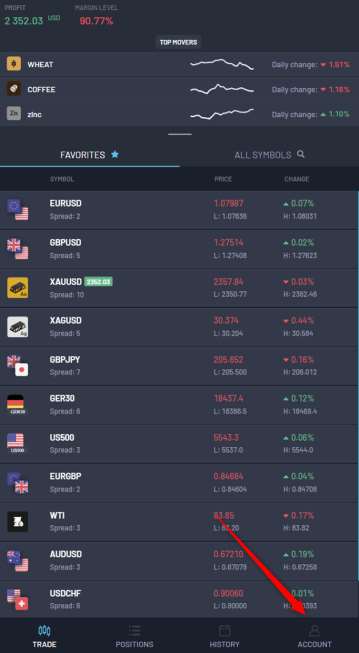
Click on Account Tab
Open the app and tap on the Account tab located at the bottom-right corner of the screen.
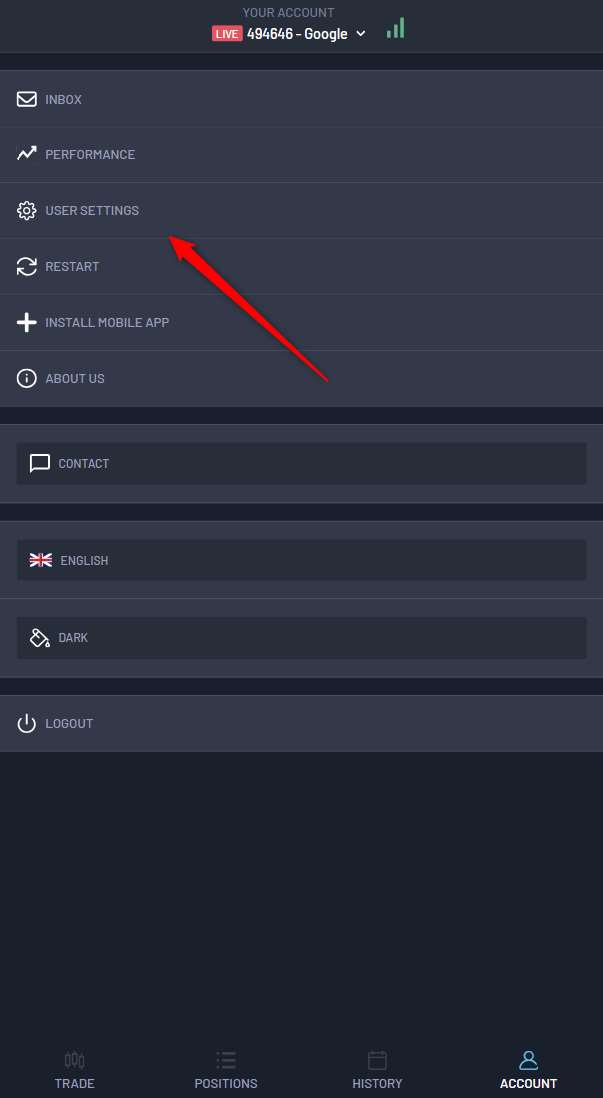
Open User Settings
Inside the Account section, tap on User Settings to manage your account preferences.
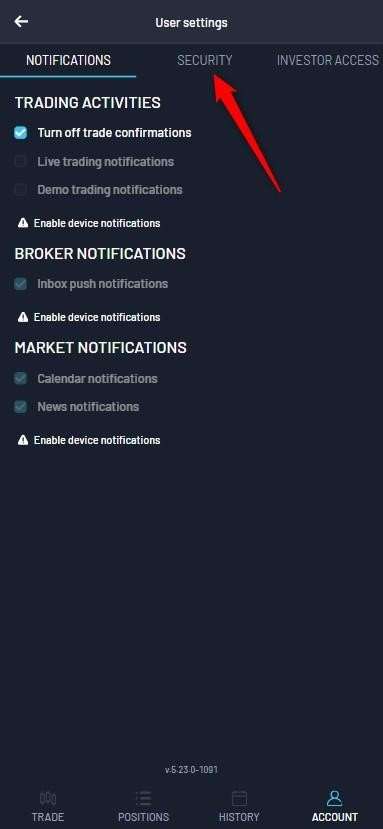
Go to Security Tab
From the User Settings page, select the Security tab.
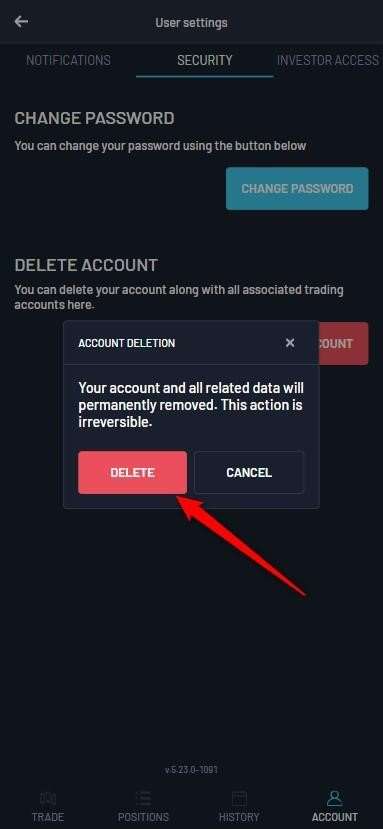
Delete Account
Scroll down and tap on Delete Account, then confirm the deletion. This action is irreversible.
Account Permanently Removed
After confirming deletion, your account and associated data are permanently removed from the system.
Data Retention Policy
Upon a user's request for account deletion, all associated information is removed from our systems except Email, Name, and Surname.
These details are retained only to record the deletion request for compliance purposes and can be removed on demand by contacting support.
Important Notes
- • Account deletion is permanent and cannot be undone.
- • Please withdraw all funds before deleting your account.
- • All open positions and pending orders will be closed.
- • For full data removal, contact support.